Where we stopped
This first release covers the start of the client journey. The later steps are held back because they need input from the Lakbyte team before we can continue.
Select a step to see where it stands.
Open in this release
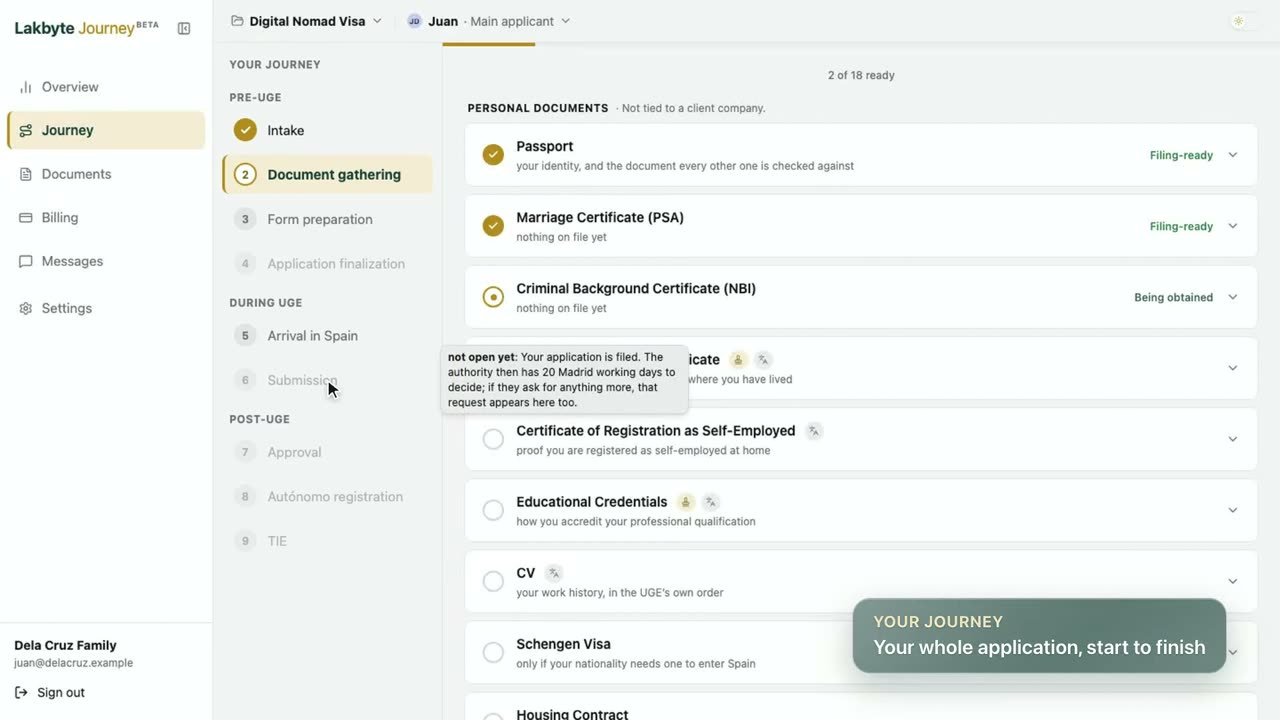
- Intake, Document gathering, Form preparation and Arrival in Spain on the client Journey
- Overview, Documents, Messages and Billing
- The case manager desk and the translator desk, with their tour videos
Held back
- Application finalization
- Submission
- Approval
- Autónomo registration
- TIE
They show greyed out on the Journey, so clients can see the whole path.
Our recommendation: launch this first phase as it is. Then decide what to build next from how people get through onboarding, and from the feedback of clients, case managers and translators using the app.
Nothing matches. Try another word or clear the filter.
Desk tools, translators and onboarding videos
Case managers get a task board and private chats with translators. Every portal gets an onboarding tour video.
New
- Welcome tour for clients. The onboarding film plays on the overview with its own player: a chapter bar, a chapter list, keyboard controls and a Skip intro button. It loads fast, as a compressed video with a poster frame that resumes if the connection drops.
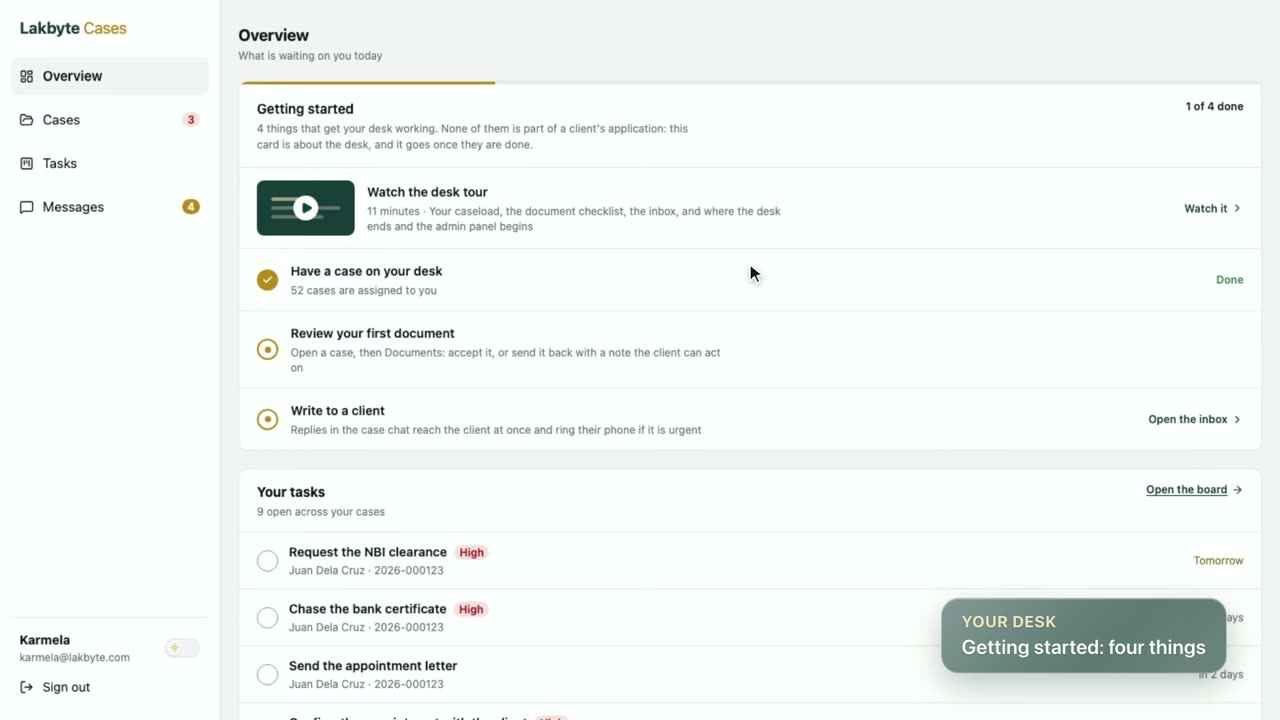
- Desk tour for case managers and translation tour for translators. Each has a video step in its Getting started card.
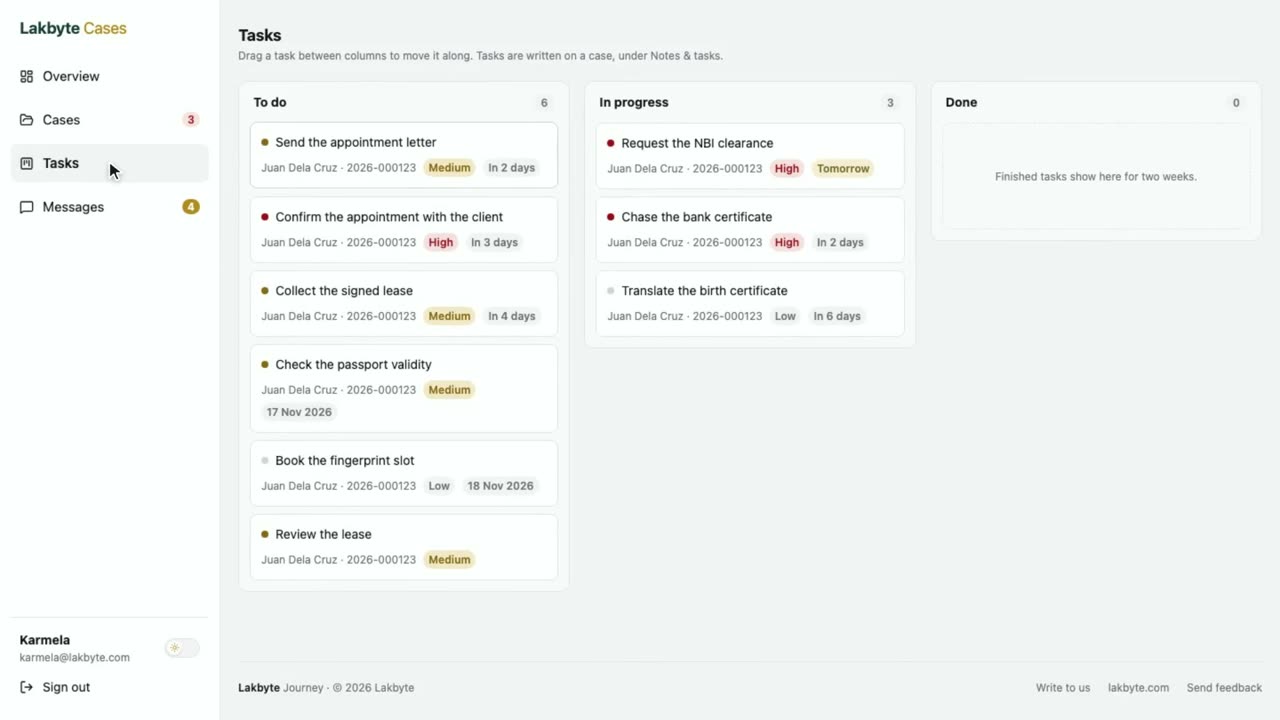
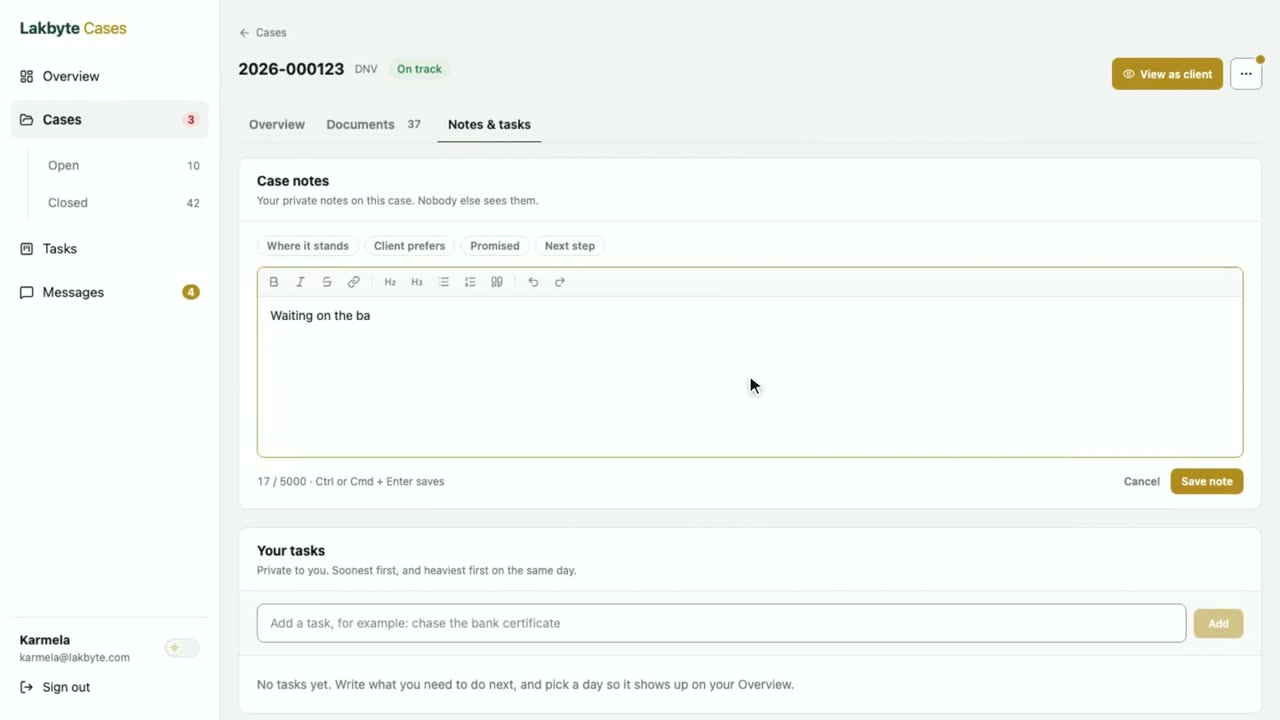
- Task board and case notes for case managers, with a rich-text notes editor and a tidier task dialog.
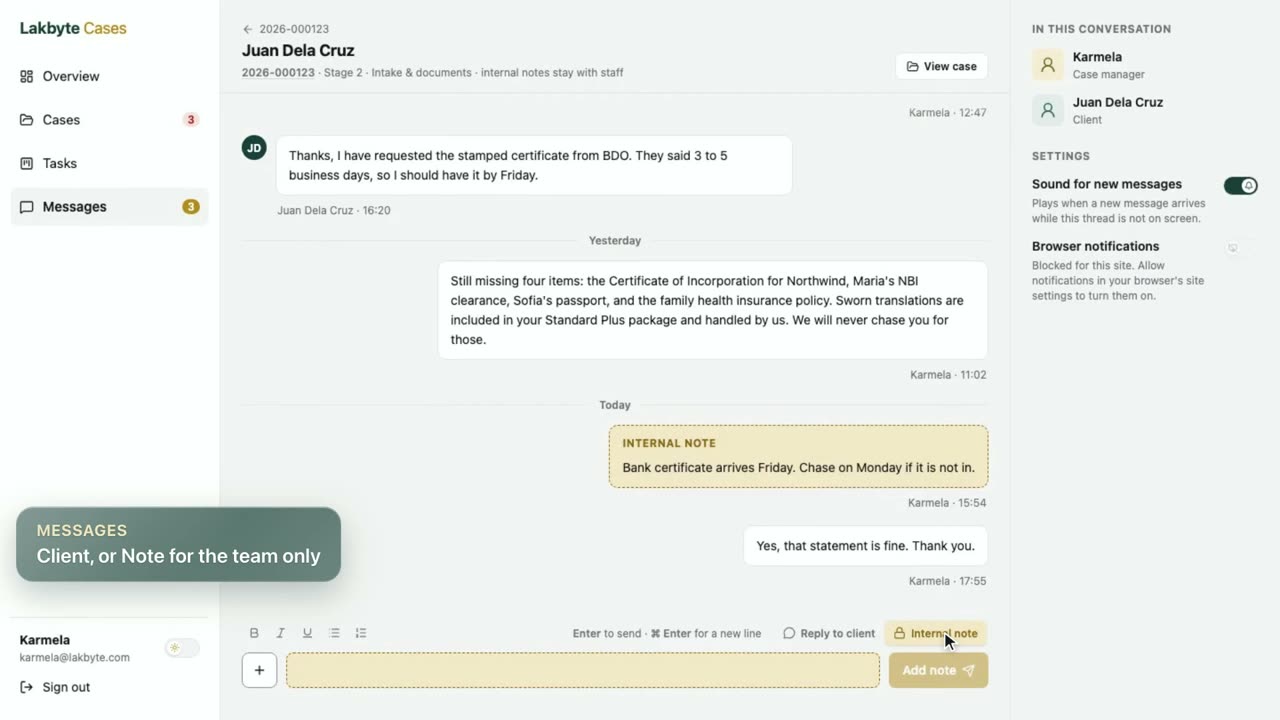
- Case manager and translator chat. They can message each other about a specific job and share files in that chat. The client never sees it.
- "Waiting on us" checklist on the case page. It sits inside Overview as a tick-off list with an action on each row.
Improved
- The case manager desk loads faster. Caseload and inbox no longer run extra queries per case.
- The case page and the translator list fit a phone. The page no longer zooms out, and each translation is a card with its status, client, files and actions.
- Portal tab pages stay alive between visits. Overview, Journey, Files and Messages come back as you left them.
- Returning to Messages keeps your place in the thread, and loading older messages no longer makes the thread jump.
- Mobile polish: the tab bar highlight slides to the tapped tab, tapping the current tab scrolls to the top, and sheets close with a drag down.
Fixed
- The intake's "Submitted. Thank you" message now appears only after a real submit.
Messages, billing and mobile
Messaging opens to clients, billing goes live and the desks get the phone layout.
New
- Messages. A live thread between client and case team with files, replies, read receipts, unread reminders and a welcome message from the case manager on every new case.
- Notifications. A chime for new messages, browser notifications, an unread count in the tab title and an animated "Seen" indicator.
- Ask about this file. Open Messages from a file with its description attached, without uploading it again.
- Drag and drop into the composer, with image thumbnails, a file count and a 10-file limit.
- Getting started card on the Overview, reading the client's real case.
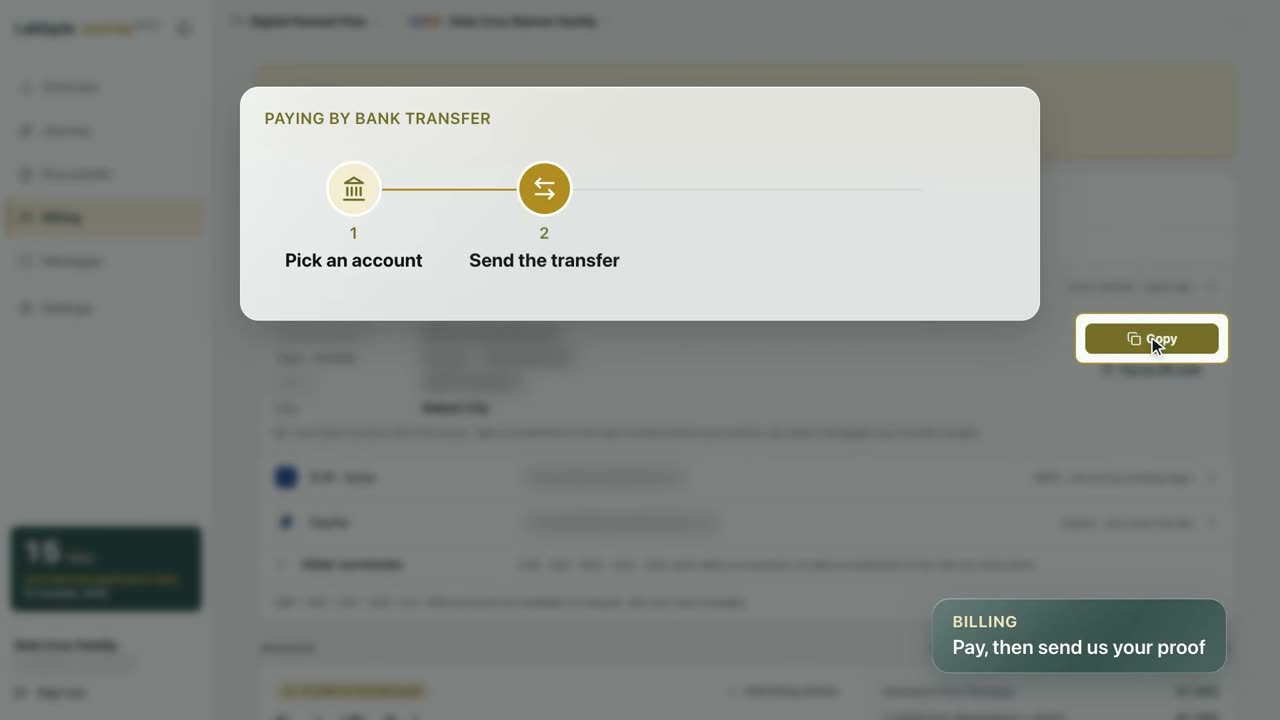
- Billing. Paid invoices with a PDF download and the client's own Bill to details. Payment is by bank transfer.
- Google sign-in returns to the portal, and an accepted offer leads straight to the dashboard.
- Operations tooling. Queue monitoring (Horizon) lives behind the admin login, and an MCP server lets approved AI tools read case files.
Improved
- The manager and translator desks get the client's phone layout: a bottom tab bar, stacked inbox rows and a compact thread header.
- Threads load 10 messages at a time and page back as you scroll.
- Messages can be deleted within 10 minutes of sending.
- A gold loading bar runs across every page while the next one loads.
- Text fields are 16px on touch screens, so iOS no longer zooms in when you tap one.
- The sidebar remembers when you collapse it.
Admin panel and a working phone portal
The staff admin panel arrives and the portal starts working properly on phones.
New
- Admin panel at /admin, in the Lakbyte brand with dark mode and a single consistent page structure.
- Document review. Reviewed stamps, version history, file preview and per-company document sets.
- Email templates are version-controlled and synced to the mail provider with one command.
- Password recovery is covered end to end by automated tests.
Improved
- The portal works on a phone, and a feature flag holds back anything not ready.
- A new account starts with a clean empty state instead of demo data.
- A misconfigured file bucket now fails the deploy instead of failing the upload.
Fixed
- Password recovery was unreachable because of a shared rate limit. Each limit now has its own bucket.
- Google sign-in returned to the API instead of the portal.
The foundation
CaseFlow is born: client portal, case manager view and the first translator portal.
New
- Client portal with Summary, Action Needed, Documents and Calendar, driven by the real state of each case.
- Case manager view with case-file cards, a Forms panel and checks for document validity (bank statements, apostille, contract against certificate of incorporation).
- Operations dashboard with derived work queues and case health.
- Translator portal. A scoped external view where translators see only their own jobs.
- Eligibility and legal flags computed from each case, with Spanish helper text for clients.
- Staff panel with the ability for staff to view the portal as a client.
Onboarding tours
Three short films, one for each kind of user. Pick a film, then use the chapter bar or the chapter list to jump to the part you need.
Signing in, the case Overview, the Journey, Files and Messages.
Invitation and sign-in, the caseload, a case, documents and checklist, reviewing as the client, messages, notes and tasks.
The emailed offer, taking a job, the dashboard, source files and delivering a translation.
Staff admin panel and links
The admin panel is the staff back office, built with Filament. It is separate from the client portal and the desks.
Heads-up
- Staff only. You sign in with a staff account, and what you can see and change depends on your permissions. Clients and translators do not use it.
- It covers what the desk does not. The desk handles documents, messages and client details. Opening a case, tasks, appointments and invoices live in the admin panel, one click away from a case under More actions.
- It works on live data. The admin panel edits the real cases, clients and invoices, so check before you save.
- No tour video yet. The desk tour only shows where the admin panel starts.
What you can manage
- Cases, clients, intakes and their passports, addresses and phone numbers.
- Invoices, payments, packages, services and fee types.
- Message threads, document templates, document requirements and correction templates.
- Holidays, blackout windows, users and roles, and the audit log.
All the links
- Client portalWhere clients sign in: Overview, Journey, Documents, Messages and Billing.lakbyte.es
- Case manager deskCaseload, case pages, messages and tasks for case managers.lakbyte.es/manage
- Translator deskTranslation jobs, source files and delivery for translators.lakbyte.es/translator
- Staff admin panelThe Filament back office for staff.admin.lakbyte.es
- Queue dashboardBackground jobs (Horizon). Admins only.admin.lakbyte.es/horizon
- Release notesThis page.docs.lakbyte.es
- Tour video filesThe onboarding videos, served from Cloudflare R2. Not a page to browse.media.lakbyte.es
- APIFor developers. The AI tools connection (MCP) is at /mcp.api.lakbyte.es
Where CaseFlow runs today
CaseFlow (lakbyte.es) is currently hosted on Ploi.io, on the developer's own server, so Lakbyte is not paying any hosting costs yet. When Lakbyte decides to officially launch, CaseFlow will be migrated to its own dedicated server.
Tech stack
- Backend API: Laravel.
- Frontend: Nuxt 4 and Tailwind CSS.
- Frontend hosting and CDN: Cloudflare.
- Video hosting: the tour videos are stored on Cloudflare R2 and served from media.lakbyte.es.
- File storage: the files clients upload are stored in Backblaze B2.
- Server management: Ploi.io.